


Search Here
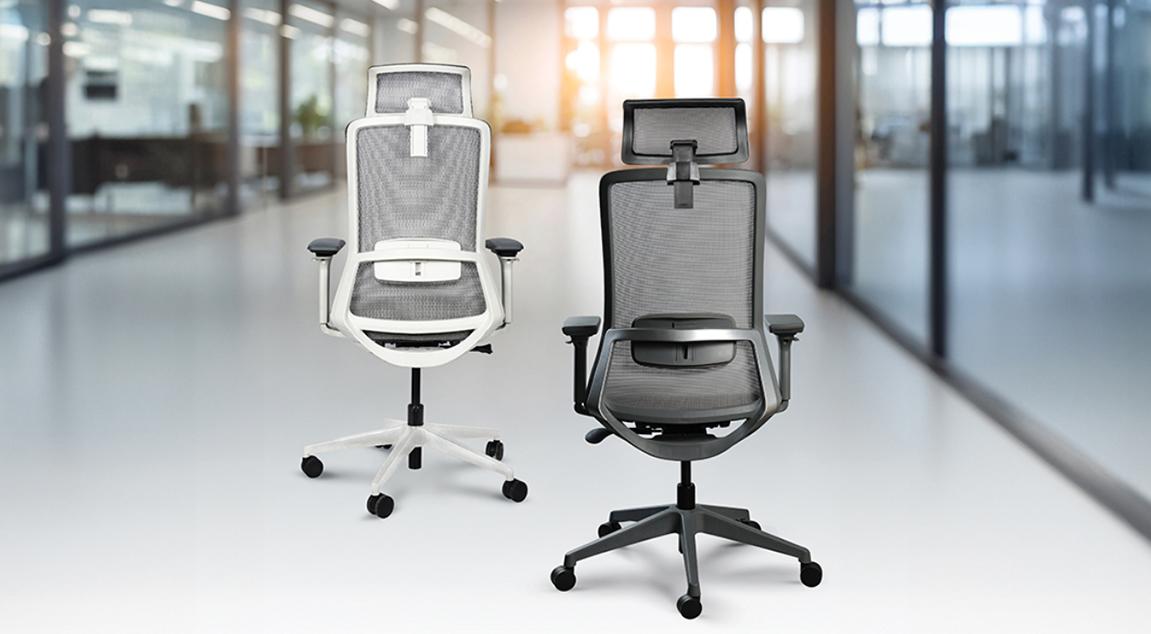
Table of Contents
|
An office chair quietly witnesses your professional journey—supporting you through morning emails, afternoon brainstorming sessions, and those evening deadline pushes. It adapts to your restless moments and steadies you during deep focus. The connection between seating and well-being goes beyond simple comfort, as poor ergonomics often contributes to common issues like lower back pain among office workers, while proper support promotes better health and sustained productivity.
The average professional spends more waking hours with their office chair than with most family members. This silent partnership shapes your posture, energy levels, and even your mood throughout the workday.
When your chair fails to support you properly, your body compensates in ways you might not immediately notice. Muscles tense to maintain balance, shoulders creep upward, and your spine curves unnaturally. Studies show that 80% of office workers suffer from at least one musculoskeletal problem at their workplace.
The ripple effects extend beyond physical discomfort. Poor seating drains your mental energy as your brain constantly processes pain signals and discomfort. This invisible tax on your attention affects everything from creative thinking to decision-making. Absenteeism due to musculoskeletal issues runs 2.8 times higher in workplaces with poor ergonomics.
Take a moment to notice your sitting position right now. Are your feet flat on the floor? Does your lower back feel supported? Can you reach your keyboard without straining? These seemingly small details accumulate over thousands of working hours. The best office chair designs address these concerns through thoughtful engineering that works with your body's natural mechanics.
Your chair influences more than just comfort—it affects circulation, breathing, and even digestion. When properly supported, your body maintains better blood flow, reducing that afternoon sluggishness many professionals accept as normal. The right seating encourages micro-movements that keep muscles engaged without causing fatigue.
Understanding what separates genuinely supportive seating from basic chairs helps you make informed choices for your workspace. The science behind ergonomic design focuses on working with your body's natural tendencies rather than forcing it into rigid positions.
Your spine naturally curves inward at the lower back, creating what ergonomists call the lumbar curve. Throughout the day, this curve changes as you shift between tasks. Adaptive lumbar support recognises these variations, providing gentle pressure that maintains healthy alignment without feeling restrictive.
Modern office chair designs feature adjustable lumbar systems that move with you. Some offer height adjustment to match where your spine needs support most, while others provide depth control to accommodate different body types. Dr. Jahnavi Acharya, consultant physiotherapist, emphasises that ergonomic chairs come with a backrest that supports the natural curve of your spine.
Static positions, no matter how "correct," create problems over time. Your body craves movement—shifting weight, changing angles, and stretching muscles. Advanced chair mechanisms like synchro-tilt systems allow the backrest and seat to tilt together at a synchronized angle, maintaining support while encouraging natural movement.
Think of your chair as a dance partner that moves with you rather than a rigid frame holding you in place. This philosophy guides modern ergonomic design, creating seating that adapts to typing, phone calls, reading, and thinking postures throughout your day.
Beyond basic comfort, specific features make the difference between enduring long hours and thriving through them. Understanding these elements helps you identify what matters most for your work style.
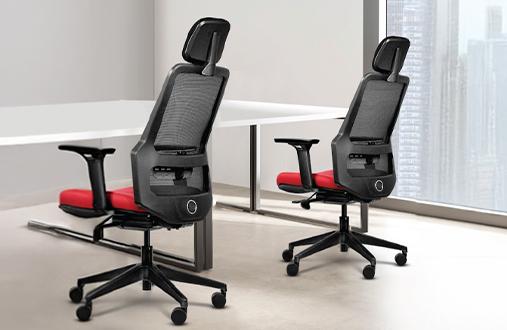
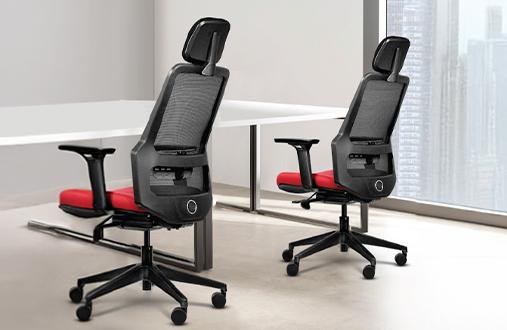
Office chair designs that truly support long hours offer multiple adjustment points. The essentials include seat height, backrest tilt, armrests, and lumbar support. Premium options add synchro-tilt mechanisms, seat depth adjustment, and headrest positioning.
|
Adjustment Feature |
Basic Benefit |
Long-Hour Advantage |
|---|---|---|
|
Seat Height |
Feet flat on the floor |
Reduces leg pressure and improves circulation |
|
Backrest Tilt |
Posture variety |
Prevents muscle fatigue from static positions |
|
Armrest Position |
Shoulder relief |
Reduces neck strain during typing |
|
Lumbar Depth |
Spine support |
Maintains energy by reducing compensatory muscle work |
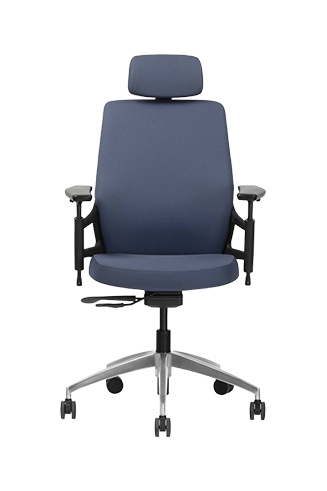
Wipro's Task Zone seating collection, including models like Adapt, Always, and Smart, exemplifies this adjustability philosophy by offering chairs with features such as adjustable armrests, seat height, tilt locking, and synchro mechanisms that adapt to diverse body types and work preferences without overwhelming users with complex controls.
Often overlooked, armrests play a crucial role in preventing the shoulder and neck tension that plagues desk workers. When properly positioned, they support your arms' weight, allowing shoulder muscles to relax. This seemingly small detail can prevent the neck pain reported by 64.2% of Mumbai corporate office workers.
Quality armrests adjust in multiple dimensions—height, width, depth, and sometimes angle. They should position your elbows at roughly 90 degrees with relaxed shoulders. During focused typing, they provide a resting spot between bursts of activity. When reading or thinking, they support a more reclined position without strain.
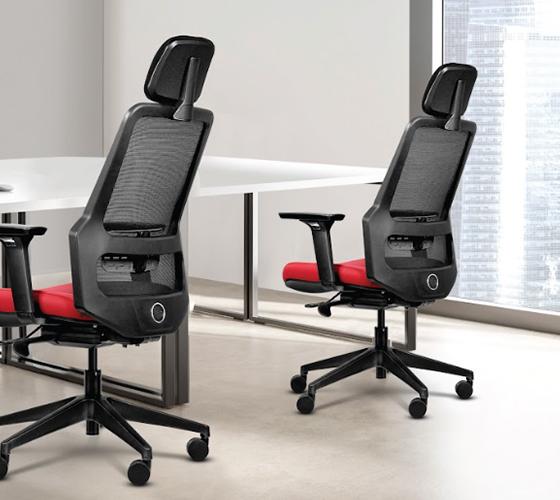
The materials touching your body for eight-plus hours daily deserve careful consideration. Climate, personal preferences, and maintenance requirements all influence the ideal choice for your workspace.
Mesh backrests have revolutionised comfort in warm offices and homes without constant air conditioning. The open weave allows air circulation, preventing the sticky discomfort that makes afternoon hours challenging. Quality mesh maintains its tension over years of use while conforming gently to your back's contours.
For those who prefer traditional cushioning, modern foam technologies offer temperature-regulating properties. High-resilience foams maintain their shape while providing consistent support. Some of the best office chair designs combine mesh backs with cushioned seats, balancing breathability with plush comfort.
|
Material Insight: Beyond Basic Comfort The best chair materials work invisibly, supporting without announcing their presence. You should forget about your chair while working, not constantly adjust to find comfort. |
Mesh Benefits:
Superior airflow during long sessions
Lighter visual weight in smaller spaces
Easy maintenance and cleaning
Consistent support without compression
Cushioned Benefits:
Traditional comfort feel
Better for cooler environments
Variety of firmness options
Sound absorption in open offices
Your chair operates as part of a larger system, including your desk, monitor, keyboard, and lighting. Optimising these relationships multiplies the benefits of quality seating.
The relationship between chair and desk height affects everything from typing comfort to neck position. Your elbows should rest at approximately 90 degrees with relaxed shoulders when typing. This often means adjusting both chair height and keyboard position to find the sweet spot.
Many professionals working from home struggle with dining tables or makeshift desks that don't align with ergonomic principles. If your desk is too high, a footrest can help maintain proper leg position while raising your seat. If too low, raising the desk on blocks or switching to an adjustable option prevents hunching.
Surprisingly, lighting affects how you sit. Poor lighting causes you to lean forward, crane your neck, or twist your body to avoid glare. Position your monitor perpendicular to windows, use adjustable task lighting, and consider anti-glare screens. When your visual environment supports comfort, your seating can do its job properly. Natural light changes throughout the day, just as your seating needs do. Morning light might allow a more upright position, while afternoon glare could require tilting back slightly.
Finding your ideal chair match involves both objective measurements and subjective comfort. Understanding fit indicators helps you evaluate options effectively.
The traditional 90-degree angles at hips, knees, and elbows provide a starting baseline, but modern ergonomics recognises that perfect posture varies by individual. Your ideal position might involve slightly open angles that reduce hip flexor tension or a gentle recline that supports your spine's natural curves.
Key fit indicators include:
Feet flat on floor without pressure behind knees
Two to three fingers' space between seat edge and back of knees
Lower back maintaining contact with lumbar support
Shoulders relaxed with arms supported
Head balanced over spine without forward thrust
Before committing to any office chair designs, perform these simple assessments:
The All-Day Test: Sit in your normal working position for at least 30 minutes. Notice any pressure points, numbness, or desire to shift positions. Quality seating should feel supportive without creating hot spots.
The Reach Test: Extend to your furthest regular working position—perhaps reaching for a phone or reference materials. Can you maintain back support? Do the armrests move with you or force awkward positioning?
The Movement Test: Shift between upright typing, reclined thinking, and forward reading positions. Does the chair follow your movements smoothly? Can you adjust without leaving your seated position?
Transforming your daily comfort doesn't require dramatic changes. Small adjustments to your current setup can provide immediate relief while you plan longer-term improvements. Start by evaluating your current situation honestly. Notice when discomfort typically appears and what triggers it.
Perhaps mid-afternoon brings lower back tension, or morning stiffness suggests overnight muscle compensation. These patterns guide your priorities for change. Consider exploring Wipro's comprehensive range of ergonomic task chairs designed specifically for professionals who understand that comfort and productivity go hand in hand.
Ergonomic chairs reduce muscle fatigue significantly, allowing sustained focus without discomfort distractions. Proper support maintains energy levels and mental clarity throughout extended work sessions.
Adaptive lumbar support, multiple adjustability points, breathable materials, and dynamic movement mechanisms prove essential. These features prevent static strain while supporting natural position changes.
Well-built ergonomic chairs typically last 5-7 years (if maintained well) with daily use. Quality materials and robust mechanisms justify the initial investment through extended service life.
Regular cleaning and occasional mechanism lubrication keep chairs performing optimally. Check adjustment controls monthly and address any squeaks or resistance promptly to prevent larger issues.
While not medical devices, quality chairs provide support that reduces strain and encourages healthy posture. Consult healthcare providers for persistent pain alongside workplace improvements.
Home setups often need greater adjustability to accommodate varied tasks and casual positions. Office chairs might prioritise durability and professional appearance while maintaining comfort standards.