


Search Here
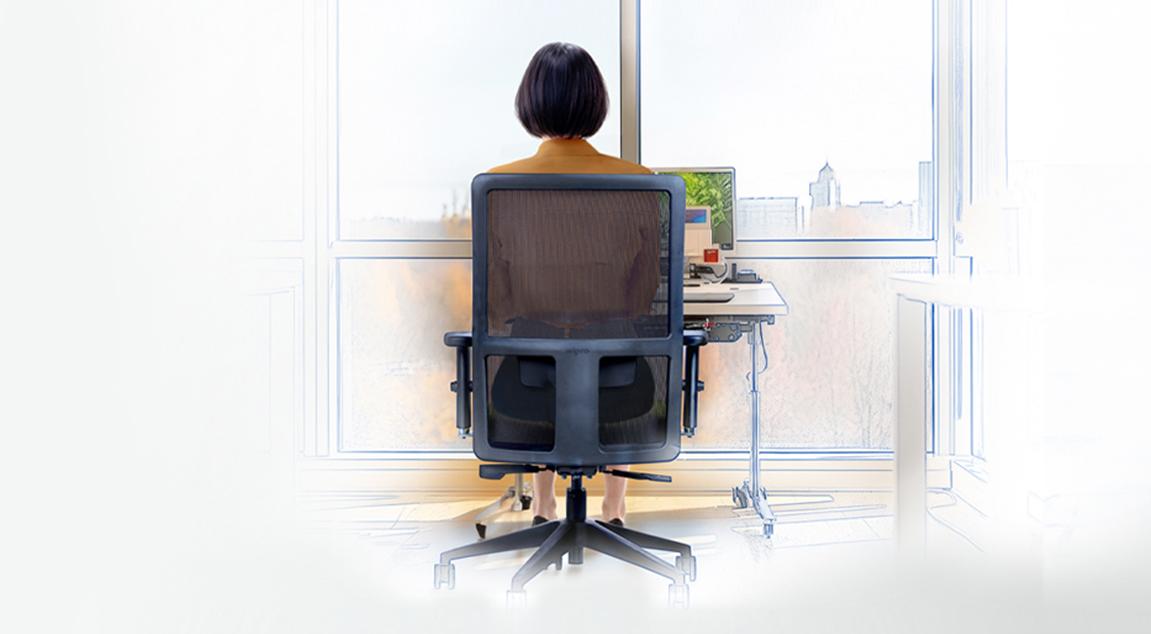
The lower back speaks volumes during those afternoon meetings, that familiar ache creeping in as seating positions change awkwardly. This discomfort also reaches home, lingering through dinner and disrupting the evening routine. Chairs for back pain matter because they address this daily struggle at its source.
Modern work life demands hours of focused sitting, yet human bodies weren't designed for static positions. The solution lies in understanding how thoughtful seating design supports the spine's natural curves while encouraging healthy movement throughout the day.
The relationship between a chair and spinal health runs deeper than simple comfort. Understanding this connection empowers individuals to make informed choices that benefit long-term wellbeing.
That persistent backache costs more than momentary discomfort. Studies reveal that 39% of office workers develop significant pain patterns across multiple body regions, with lumbar areas bearing the greatest burden. Sitting increases pressure on the lower back by about 30% compared to standing, which can worsen spinal stress.
The ripple effects touch every aspect of a workday. Concentration wavers as discomfort demands attention. Energy depletes faster when muscles work overtime to compensate for inadequate support. Tasks that should flow smoothly become interrupted by position adjustments and stretching breaks. Over time, this cycle impacts not just productivity but overall quality of life, affecting sleep patterns and limiting recreational activities.
Alt Text: A person working while sitting on an office chair.
A chair serves as the foundation for spinal alignment during countless work hours. When properly designed, it maintains the natural S-curve of the spine, distributing weight evenly and reducing stress on individual vertebrae. Ergonomic chairs for back pain achieve this through carefully engineered contours that adapt to every body's unique shape.
Research published in Applied Ergonomics demonstrates the profound impact of proper support—participants using chairs with integrated lumbar backing experienced considerable reduction in back pain symptoms within just four weeks. The key lies in how these chairs work with the body's mechanics rather than against them, supporting natural posture without forcing rigid positions.
True ergonomic design transcends marketing buzzwords. It represents thoughtful engineering that addresses real human needs through evidence-based features and adaptable support systems.
The foundation of effective office chair back support rests on several critical elements working in harmony:
Adaptive Lumbar Support: This vital feature maintains the spine's inward curve, preventing slouching that strains lower back structures. Height and depth adjustments ensure the support contacts your spine precisely where needed, typically around the L4-L5 vertebrae.
Dynamic Backrest: Unlike static chairs, ergonomic designs incorporate tilt and recline mechanisms that encourage movement. This flexibility reduces muscle fatigue when compared to fixed-position seating.
|
Feature |
Basic Chair |
Ergonomic Design |
Impact on Back Pain |
|---|---|---|---|
|
Lumbar Support |
Minimal/Fixed |
Adjustable height & depth |
|
|
Seat Depth |
One-size |
Adjustable with waterfall edge |
|
|
Armrests |
Fixed or none |
4D adjustable |
|
|
Material |
Standard foam |
Breathable mesh + cushioning |
Maintains comfort through temperature regulation |
Finding the perfect match requires attention to personal fit indicators. Start by checking that the feet rest flat on the floor with knees at approximately 90 degrees. The backrest should make gentle contact with your lumbar region without pushing forward or leaving gaps.
Armrest positioning proves equally crucial—the shoulders should remain relaxed with elbows bent comfortably at 90-110 degrees. The seat depth allows 2-3 fingers of space behind the knees, preventing circulation issues that force postural changes. When these elements align properly, there is immediate relief in pressure points and sustained comfort throughout extended sitting periods.
After analysing ergonomic research, user feedback, and design innovation, these ten office chairs with lumbar support stand out for their ability to provide genuine relief:
1. Premium Mesh Executive Chair
Combines advanced lumbar technology with breathable materials ideal for long hours and warm climates. The synchronised tilt mechanism supports natural movement patterns.
2. Task-Focused Ergonomic Model
Features precise adjustability for detail-orientated work, with enhanced lower back contouring that adapts to forward-leaning positions common in focused tasks.
3. High-Back Support System
Offers comprehensive spine alignment from lumbar through cervical regions, particularly beneficial for those experiencing multi-level discomfort. The Wipro Amplify chair supports dynamic sitting thanks to it five reclining positions, the curved lumbar support ensures continuous support for the lower back and it also features seamless synchronisation between the seat and the backrest.
4. Active Sitting Design
Encourages micro-movements through flexible base technology, strengthening core muscles while maintaining proper spinal alignment.
5. Compact Ergonomic Solution
Perfect for home offices with space constraints, delivering essential support features without overwhelming smaller work areas. The Wipro Immerse Mid-Back chair specialises in taking up minimum space and providing maximum comfort. Its mesh back helps dissipate heat efficiently while the body is uniformly distributed to eliminate pressure points completely.
|
Design Insight: The Best Support Moves With You Modern ergonomic philosophy recognises that healthy sitting involves movement. The most effective chairs for back pain don't lock you into one "perfect" position but rather support the spine through various postures throughout your workday. |
6. Budget-Conscious Comfort Model
Proves that effective back support doesn't require premium pricing, offering adjustable lumbar and seat height at accessible price points.
7. Heavy-Duty Support Chair
Engineered for extended durability and higher weight capacities while maintaining superior lumbar alignment and pressure distribution.
8. Climate-Adapted Mesh Design
Wipro's Adapt chair exemplifies this category, featuring Aeroflo technology that provides a mesh backrest allowing airflow—essential for maintaining comfort through long workdays in varying office temperatures.
9. Posture-Correcting Technology Chair
Incorporates responsive backrests that actively encourage proper positioning without feeling restrictive or uncomfortable.
10. Versatile Hybrid Model
Adapts between focused work and collaborative settings, with quick-adjust features that maintain support across different activities.
Daily tasks and work patterns should guide chair selection as much as physical considerations. The perfect chair aligns with both the body and professional demands.
Different work styles demand specific support characteristics:
For Creative Professionals: Looking for chairs with a wide range of recline options and flexible armrests that accommodate varied positions during brainstorming and design work is the best approach. The ability to lean back comfortably supports those moments of reflection between intensive creation periods.
For Data Analysts and Programmers: Prioritising precise lumbar adjustment and forward tilt capabilities should be paramount. These features support the slight forward lean common during screen-intensive work while preventing lower back compression. Adjustable armrests at keyboard height reduce shoulder strain during extended typing sessions.
For Hybrid Workers: Seeking chairs with intuitive adjustment mechanisms that quickly adapt between home and office setups can help. Memory foam cushioning helps maintain comfort across different sitting durations typical of flexible schedules.
The adjustment features that deliver lasting comfort throughout a workday include:
Seat Height Range: Ensures proper desk alignment whether you're 5'2" or 6'4", maintaining neutral wrist positions for keyboard use while keeping feet firmly planted.
Lumbar Depth Control: Often overlooked yet crucial for accommodating different torso lengths and spinal curves. This adjustment prevents the common issue of lumbar support pushing too far forward or sitting ineffectively behind your back.
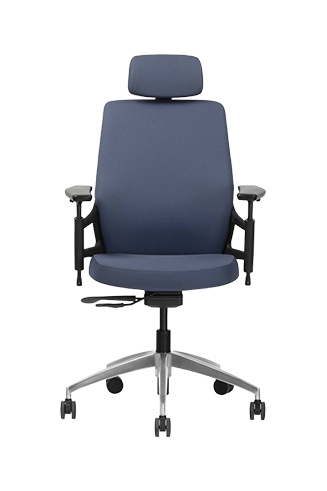
Armrest Flexibility: Modern 4D armrests adjust in height, width, depth, and pivot angle. This adaptability supports various tasks from typing to reading documents, preventing the shoulder elevation that contributes to neck and upper back pain. The Wipro Absolute chair does just that using its adjustable and curved 4D armrests and a two-way adjustable headrest as well.
Even the finest ergonomic chair for back pain requires proper configuration to deliver its full benefits. Taking time to dial in your settings pays dividends in daily comfort.
Optimal chair setup follows biomechanical principles that maintain spinal neutrality. Begin with seat height—the hips should sit level with or slightly above the knees, creating an open angle that reduces pressure on lumbar discs. Position the backrest to contact the spine's natural curve directly above the pelvis.
Studies show that workers using properly adjusted chairs demonstrate higher task persistence in demanding work. The difference lies in reduced physical distraction—when the body feels supported, the mind focuses better on challenging tasks. Fine-tune armrest height so shoulders remain relaxed, then adjust seat depth to support thighs without restricting circulation.
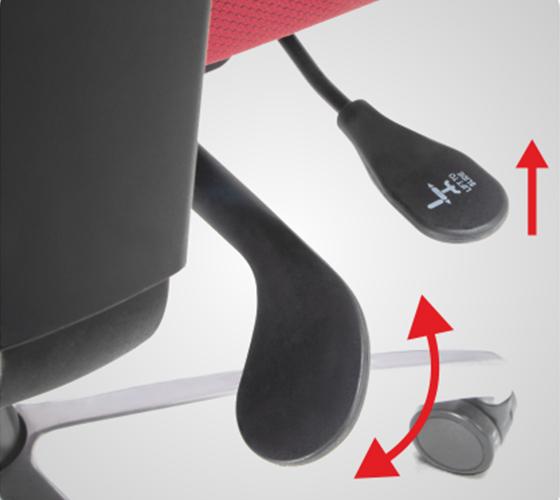
Chair adjustments are continuous processes that respond to changing bodily needs. Morning stiffness may necessitate firmer lumbar support, whereas fatigue later in the day may be alleviated with a slight recline. Significant weight fluctuations, new desk arrangements, or changes in work tasks also require re-evaluation of the ergonomic setup.
Discomfort signals such as tingling in the legs may suggest seat height issues, while shoulder tension can indicate armrest misalignment. Regular micro-adjustments, possibly weekly, help maintain optimal support as posture improves over time. Research indicates that simple ergonomic adjustments can dramatically improve musculoskeletal symptoms among technology workers.
A chair forms just one element of a comprehensive approach to workplace comfort. Supporting strategies multiply the benefits of quality seating.
Even optimal seating can't counteract prolonged static positions. Integrating movement into a routine prevents muscle fatigue and maintains spinal flexibility:
The 30-Minute Reset: Stand and perform gentle backbends every half hour. This simple practice opens the chest, relieves lumbar compression, and resets the posture for the next sitting period.
Desk-Based Stretches: Incorporate seated spinal twists and shoulder rolls between tasks. These movements maintain joint mobility without disrupting workflow, particularly valuable during video calls or while waiting for file uploads.
Active Sitting Techniques: Engage the core periodically by sitting toward the chair's edge for short periods. This practice strengthens supporting muscles while giving the back periodic breaks from full support.
The ideal break frequency balances productivity with physical needs. Research supports the 20-8-2 pattern: every 20 minutes, shift position for 8 seconds and look at something 20 feet away for 2 seconds. This minimal interruption prevents both postural and visual fatigue.
Longer movement breaks every 60-90 minutes provide greater relief. A brief walk to refill water, collect printouts, or simply stretch in a break room activates different muscle groups and promotes circulation. These intervals align naturally with task transitions, making them easier to maintain consistently. Remember, studies demonstrate that combining ergonomic furniture with regular movement yields the most significant reductions in workplace discomfort.
Finding relief from back pain requires more than purchasing a chair—it demands understanding how design, adjustment, and daily habits work together. The chairs for back pain explored here represent proven solutions, each addressing specific needs through thoughtful engineering and research-backed features. An investment in proper seating pays returns through improved comfort, sustained energy, and enhanced work performance.
Take time to assess unique requirements, considering both current discomfort patterns and future wellness goals. Explore Wipro's comprehensive seating collection to discover chairs designed with a complete workday experience in mind—where comfort meets productivity in perfect balance.
Most users report noticeable improvement within 1-2 weeks. Studies show significant pain reduction after four weeks of consistent use with properly adjusted chairs for back pain.
Adjustable lumbar support ranks highest, maintaining the spine's natural curve and reducing disc pressure. Quality office chairs should be adjustable for both height and depth for a personalised fit.
Yes, proper seating can significantly reduce strain and create supportive environments for healing. However, consult healthcare providers for comprehensive treatment plans beyond seating solutions alone.
Both offer benefits—mesh provides better airflow for warm climates while maintaining firm support. Cushioned backs offer traditional comfort. Choose based on your climate and personal preference.
With top-tier build quality and regular maintenance, ergonomic chairs last quite a while. Replace when adjustment mechanisms fail, cushioning compresses beyond comfort, or support elements no longer function properly.