


Search Here
Table of Contents
|
Every workday begins with a simple act of sitting down, yet this moment sets the stage for hours of productivity or discomfort. Modern ergonomic understanding reveals that proper seating goes far beyond having a cushioned surface.
The difference between ending the workday with energy versus exhaustion often comes down to three critical adjustments. Understanding how chair height, armrest positioning, and lumbar support work together transforms ordinary seating into personalised ergonomic support that adapts to everyone's unique needs.
The standard office chair height falls between 40 and 53 cm, while typical desk heights should be fixed in a way that the elbows are at a 90-degree angle (which implies that desk height and chair height can change based on user height). These measurements represent carefully researched starting points that accommodate the natural diversity of human bodies. However, these numbers only tell part of the story.
What truly matters is how these dimensions interact with unique proportions. Research shows that 54% of men and 42% of women of Indian IT and office workers report back pain associated with prolonged sitting. This statistic underscores why understanding proper chair adjustments isn't just about comfort—it's about protecting long-term health while maintaining peak performance throughout demanding workdays.
Every worker shifts seating positions multiple times during a typical workday. Each movement represents the body's attempt to find comfort within the constraints of the chair. When chair dimensions align with a body's needs, these shifts become natural transitions rather than desperate searches for relief. Poor dimensions force muscles to work overtime, maintaining awkward positions that drain energy and focus.
The impact extends beyond physical discomfort. When a chair properly supports a person, mental energy previously spent managing discomfort redirects toward creative problem-solving and productive work. This is why organisations investing in ergonomic seating often see immediate improvements in employee engagement and output quality.
Chair height forms the foundation of ergonomic seating, influencing every other adjustment made. Getting this single dimension right creates a cascade of benefits throughout the body's kinetic chain.
The correct chair height positions both feet flat on the floor with knees slightly lower.
than hip level. This alignment reduces pelvic rotation, which in turn decreases pressure on lumbar discs. For most users, this translates to a seat height between 41 and 53 cm from floor to seat surface.
|
Body Height |
Recommended Seat Height |
Key Adjustment Tips |
|---|---|---|
|
Under 5'4" |
16-17 inches |
Consider footrest if desk is fixed |
|
5'4" - 5'10" |
17-19 inches |
Fine-tune for thigh support |
|
Above 5'10" |
19-22 inches |
Ensure adequate under-desk clearance |
|
Chair size considerations |
Varies by frame |
Match seat depth to thigh length |
Finding the optimal height involves more than matching numbers. Sitting back in the chair with feet flat on the ground. The thighs should remain parallel to the floor or slope slightly downward. If pressure is felt behind the knees or feet dangle, adjustments are needed. Many Indian offices use fixed-height desks, making proper chair height adjustment even more critical for achieving comfortable positioning.
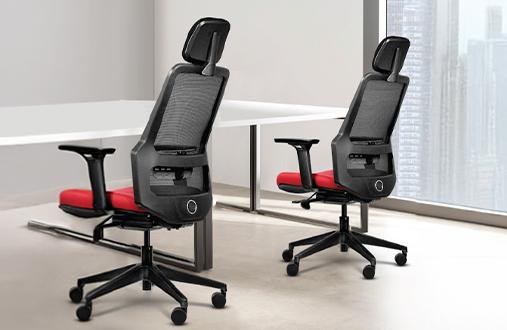
The Wipro It's Me chair, for instance, not only comes with a height adjustable mechanism but it also features a long back and automatic tension adjustment which can easily accommodate to various users.
Incorrect chair height creates problems that compound throughout the workday. When positioned too high, legs dangle, compressing blood vessels behind the knees. This reduces circulation to the lower legs, causing that familiar pins-and-needles sensation during long meetings. Conversely, a low chair forces knees upward, constricting veins in the thighs and creating pressure on the hip flexors.
Beyond circulation issues, poor height adjustment forces the spine into unsafe positions. This persistent pressure causes nerve constriction and accelerates disc degeneration. During busy seasons when logging extra hours is mandatory, these effects multiply rapidly. What starts as mild discomfort can evolve into chronic pain requiring medical intervention.
Armrests often receive less attention than seat height, yet play a crucial role in preventing upper body strain. Proper positioning creates a foundation for comfortable typing, mouse use, and even those moments of contemplation between tasks.
Traditional ergonomic guidance suggests positioning elbows at a 90-degree angle while resting on armrests. This position helps reduce shoulder strain and prevents slumping. However, contemporary understanding recognises that slight flexibility enhances comfort. Research supports an elbow angle between 90 and 110 degrees with forearms parallel or gently angled toward the keyboard.
|
Design Insight: Dynamic Support Quality armrests don't lock users into one position. They provide stable support while allowing natural movement as one transitions between typing, reaching for the phone, or gesturing during video calls. This flexibility prevents the muscle fatigue that comes from maintaining rigid positions. |
Shoulders should remain relaxed when using armrests. If the shoulders are elevating or tensing, the armrests are likely too high. Optimally positioned armrests slide just underneath the neutral elbow position, allowing shoulders to maintain the natural, comfortable posture. For most users, this means elbows rest directly under shoulders along the torso.
Modern ergonomic chairs offer various armrest adjustability levels, each serving specific needs:
• Height adjustment: Essential for matching the torso length
• Width adjustment: Accommodates different shoulder widths
• Depth adjustment: Supports varying arm lengths
• Pivot adjustment: Follows natural arm angles during different tasks
• Pad softness: Prevents pressure points during extended use
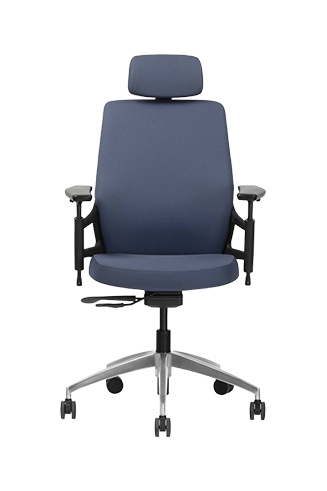
For professionals spending more than 6-8 hours at desks, chairs with 3D or 4D armrests provide crucial flexibility. These advanced systems accommodate the vast range of human body sizes, following industry standards designed to fit users from the 5th to the 95th percentile. This adjustability proves particularly valuable when users shift between focused typing and relaxed reading throughout the day. Chairs like the Wipro Absolute Office Chair reflect this approach by integrating ergonomic adjustability into everyday work setups without disrupting the overall workspace flow. The 4D padded armrests are designed to accommodate various body types.
The lower back bears tremendous responsibility during seated work. Lumbar support acts as a crucial ally, maintaining the spine's natural alignment even during those marathon work sessions that define modern professional life.
The spine isn't straight—it features a series of curves designed for balance and shock absorption. The inward curve of the lower back, called lumbar lordosis, plays a critical role in weight distribution. Without proper support, prolonged sitting leads to slouching, which flattens this natural curve and strains surrounding structures.
Chair dimensions for lumbar support involve both height and depth positioning. Research indicates optimal lumbar support sits approximately 190 mm above the compressed seat surface, though individual preferences vary significantly. Those experiencing back discomfort often prefer positioning support closer to the seat front, ensuring more pronounced lower back contact.
Finding the ideal lumbar position begins with understanding natural spinal alignment. Sit at the edge of the chair with feet flat on the ground. Gently rock the pelvis forward and backward to identify the position where the spine maintains its natural curve. This position indicates the appropriate setting for lumbar support to maintain proper posture.
|
Positioning Step |
What to Feel |
Common Mistakes |
|---|---|---|
|
Initial placement |
Gentle pressure at lower back curve |
Positioning too high (mid-back) |
|
Depth adjustment |
Support without forcing arch |
Pushing too deeply into back |
|
Fine-tuning |
Natural spine position maintained |
Overcompensating with extreme curve |
|
During recline |
Consistent contact maintained |
Support losing contact when leaning |
Effective lumbar support fills the gap between the lower back and chair, preventing spine flattening during long work periods. Remember, the goal isn't forcing an arch but maintaining the natural curve. Studies show properly implemented lumbar support can reduce back pain symptoms substantially over time—a compelling reason to spend time perfecting this adjustment.
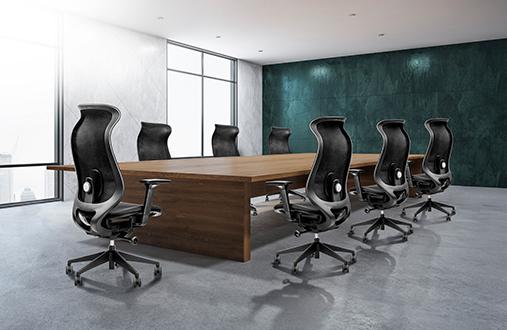
Wipro's Always Glo chair incorporates body-tracking lumbar support system that move with the body during recline, maintaining consistent support whether leaning forward in concentration or relaxing during a break. This dynamic support reflects a deep understanding of how bodies actually move throughout the workday.
With foundational knowledge of each element, the next step involves integrating all three adjustments into a cohesive system that supports every unique work style and body mechanic. This integration transforms individual features into comprehensive ergonomic support.
Start the setup process systematically. First, establish proper chair height with feet flat and thighs parallel to the floor. Next, adjust lumbar support to maintain the spine's natural curve. Finally, position armrests to support relaxed shoulders with elbows at comfortable angles. This sequence ensures each adjustment builds upon the previous one.
The magic happens when all three elements work in harmony. The chair dimensions should create a neutral posture where:
Head balances naturally over shoulders without forward strain
Shoulders remain relaxed and symmetrical.
Arms move freely without lifting shoulders
Lower back maintains its curve without conscious effort
Legs rest comfortably with good circulation
During hectic workdays filled with back-to-back meetings and tight deadlines, these adjustments work silently to preserve energy. Many professionals report feeling notably less fatigued after implementing a proper ergonomic setup, even during particularly demanding periods. This energy preservation translates directly into sustained focus and better work quality throughout the day.
Even optimal seating requires regular movement for sustained comfort. Ergonomics experts recommend standing for 8 minutes and moving around a bit for 2 minutes for every 30 minutes of sitting. This rhythm prevents the static loading that causes discomfort regardless of chair quality.
This can be applied naturally without disturbing one's normal routine. Focused email replies can be dealt out sitting, calls can be taken while standing, and then a short walk to refill the water bottle helps stretch out the muscles. These natural transitions, combined with proper chair size adjustments, create a dynamic work pattern that energises rather than exhausts. Modern offices increasingly recognise this need, incorporating standing desk options and encouraging movement throughout the day.
The Wipro I'M Pro chair reflects this theory thanks to its automatic weight-sensing mechanism and curved lumbar support, which adjusts to every body type and movement.
The Indian workplace presents unique challenges and opportunities for implementing ergonomic excellence. From startup environments with dynamic seating arrangements to established corporate offices managing hybrid work transitions, understanding local context enhances ergonomic effectiveness.
Budget consciousness remains important across Indian organisations, but forward-thinking companies recognise that ergonomic investments yield returns through reduced absenteeism and increased engagement. The data is compelling: approximately 76% of Indian computer professionals report musculoskeletal disorder. This statistic highlights the urgent need for proper ergonomic solutions.
Understanding chair dimensions empowers one to take control of the workplace comfort. Whether adjusting the current chair or evaluating new seating options, focus on how height, armrests, and lumbar support work together to support the body's unique needs. Remember that small adjustments can yield significant improvements in daily comfort and long-term wellbeing.
The journey toward ergonomic excellence doesn't require perfection; it requires awareness and gradual improvement. Start with one adjustment today, perhaps correcting the chair height or repositioning those armrests. Explore Wipro's various seating options designed to support Indian professionals through every workday challenge, bringing thoughtful engineering and wellness-focused design to your workspace.
For someone 5'6" tall, optimal chair height typically ranges between 17 and 18 inches from floor to seat. Adjust until feet rest flat with knees slightly below hips, ensuring thigh support without pressure behind knees.
Properly positioned armrests support arms' weight, preventing shoulders from elevating or hunching. This reduces muscle tension in the neck and shoulders, especially during extended typing or mouse use throughout the workday.
Lumbar support should contact the lower back's natural inward curve, typically around belt level. Gentle pressure can be felt as it maintains the spine's curve without forcing an uncomfortable arch or pushing too deeply.
Yes, incorrect chair dimensions can lead to chronic back pain, disc degeneration, poor circulation, and musculoskeletal disorders. Prolonged poor positioning may require medical intervention and significantly impact quality of life.
For hot-desking environments, choose chairs with maximum adjustability—pneumatic height adjustment, sliding seat depth, flexible armrests, and moveable lumbar support. This accommodates diverse body types sharing the same workspace.
Review the chair size settings monthly and whenever discomfort is experienced. Daily micro-adjustments are normal as the body needs change. Major readjustments may be needed seasonally or after workplace changes.
Even with proper chair height, prolonged sitting can reduce circulation. Ensure seat depth allows 2-3 fingers' space behind knees, take regular movement breaks, and avoid crossing legs during extended sitting periods.