


Search Here
Table of Contents
|
Your spare bedroom corner calls your name each morning, promising another day of juggling video calls, focused work, and the occasional doorbell interruption. That makeshift desk arrangement served its purpose during the initial work-from-home transition, but now your shoulders ache by noon and concentration wavers by three.
The truth about home office design goes beyond Pinterest-worthy aesthetics. A thoughtfully planned workspace actively supports your productivity, protects your physical well-being, and creates boundaries between professional and personal life.
The foundation of any efficient home workspace starts with understanding how physical layout influences your mental state and work patterns. Your room's arrangement either supports or sabotages your daily productivity.
Room layout directly affects your energy levels and focus throughout the day. Research shows that 66% of employees report improved concentration when their workspace follows ergonomic design principles.
When designing your workspace, consider the following points:
Positioning: Position your primary work surface perpendicular to windows rather than facing them directly. This placement reduces screen glare while maintaining peripheral awareness of natural light changes.
Movement: Create clear pathways between your desk, storage areas, and room entrance. When you need to retrieve documents or answer the door, smooth movement prevents disrupting your mental flow.
Accessibility: Keep frequently used items within arm's reach of your seated position. Your printer, reference materials, and daily supplies should require minimal stretching or standing, preserving your postural alignment throughout tasks.
Your brain processes environmental cues constantly, even when you're absorbed in work. A cluttered visual field increases cortisol levels and decreases task completion rates. To counter this, establish visual boundaries using room dividers, bookcases, or even strategic plant placement to separate your work zone from relaxation areas. This physical distinction helps your mind transition between professional focus and personal downtime.
Moreover, color temperature plays a subtle yet powerful role in space psychology. Cooler tones (blues, greens) promote analytical thinking and sustained concentration, while warmer accents (yellows, oranges) boost creative energy during brainstorming sessions. Balance these elements based on your primary work activities.
Efficiency emerges from the intersection of thoughtful planning and practical execution. Your workspace should adapt to various tasks while maintaining consistent comfort levels throughout extended work periods.
Divide your home office setup into three primary zones.
Main Task Zone: This zone centers around your desk and computer, optimized for focused work sessions. Position your monitor 20-26 inches from your eyes with the top edge at or slightly below eye level.
Secondary Zone: This zone includes reference materials, filing systems, and supplies you access several times daily.
Movement Zone: Create this zone with a standing desk converter, reading chair, or yoga mat area where you can shift positions and stretch.
|
Zone Type |
Primary Function |
Essential Elements |
Distance from Main Desk |
|---|---|---|---|
|
Task Zone |
Focused computer work |
Monitor, keyboard, task lighting |
0-2 feet |
|
Reference Zone |
Quick access storage |
Files, supplies, printer |
2-4 feet |
|
Movement Zone |
Position changes |
Standing surface, stretch area |
4-6 feet |
Natural light serves as your workspace's most valuable asset. Exposure to daylight during work hours regulates circadian rhythms and improves evening sleep quality. Position your desk to maximize morning light exposure, when natural illumination energizes without overwhelming. Eastern or northern exposures provide consistent, gentle light throughout Indian summers.
Layer your lighting strategy with adjustable task lamps for cloudy days or evening work. Choose bulbs with color temperatures between 4000K and 5000K for alertness during analytical tasks. You can also install dimmer switches or smart bulbs that adjust throughout your workday, mimicking natural light progression.
Compact living situations demand creative approaches to workspace design. Transform limited square footage into highly functional environments through strategic furniture choices and vertical thinking.
Wall-mounted solutions preserve precious floor space while keeping essentials accessible. Install floating shelves at varying heights to accommodate different items—lower shelves for frequently used materials and higher placement for archival storage. Pegboard systems offer infinitely customizable organization, adapting as your needs evolve. Add small containers or clips to hold stationery, cables, and daily tools.
Consider ceiling-mounted storage for seasonal items or equipment you use occasionally. Overhead bins or suspended baskets utilize often-forgotten vertical space. This approach works particularly well in homes with standard Indian ceiling heights, maximizing every dimension of your room.
Multi-functional pieces solve multiple challenges simultaneously. A storage ottoman provides seating for occasional visitors while concealing supplies or documents, and nesting tables expand your work surface during large projects, then tuck away neatly. Moreover, look for desks with built-in cable management channels and drawer systems that eliminate the need for separate filing cabinets.
Additionally, small home office ideas benefit from furniture that transitions between uses. A console table against the wall becomes a standing desk with a laptop riser, and foldable or wall-mounted desks create full workstations that disappear after hours, crucial for studio apartments or shared bedrooms.
|
Design Insight: The 30-Second Rule Any item you use daily should be accessible within 30 seconds from your seated position. This principle prevents productivity interruptions and maintains ergonomic positioning throughout your workday. |
Understanding ergonomics transforms your workspace from merely functional to genuinely supportive. The right environmental adjustments prevent musculoskeletal issues, which affect 80% of remote Indian workers.
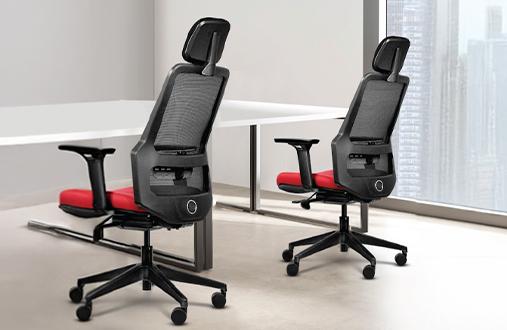
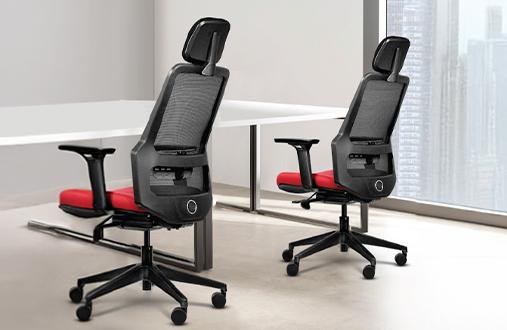
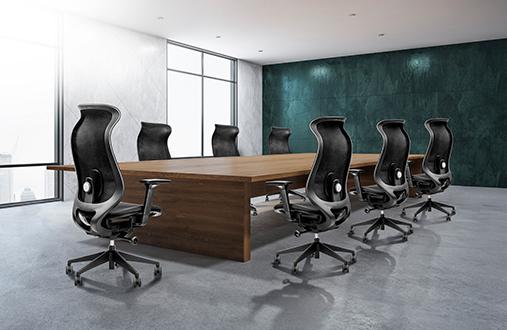
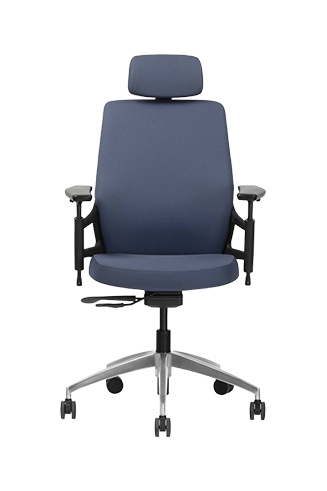
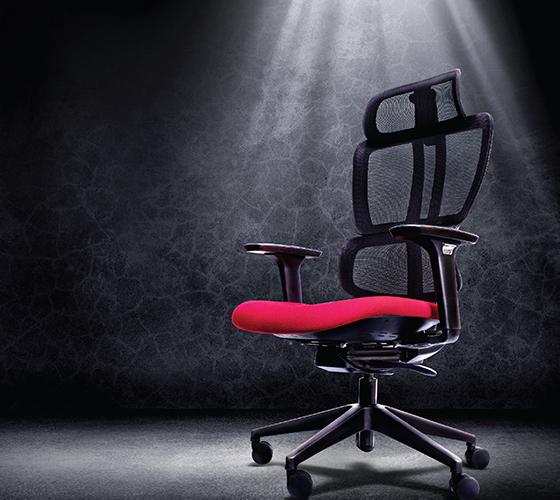
Your chair serves as the foundation of ergonomic comfort, supporting you through video marathons and deadline crunches. Quality ergonomic seating reduces back and neck pain by 54% when properly adjusted: look for chairs with adjustable lumbar support that matches your spine's natural curve; your feet should rest flat on the floor with thighs parallel to the ground.
Wipro's seating solutions, like Adapt, Alivio, and Immerse, address the unique challenges of home office environments. Their ergonomic designs, including breathable mesh backs in models like the Of-Course and Always, promote dynamic sitting by encouraging subtle position shifts that maintain circulation and prevent stiffness. Moreover, adjustable armrests and lumbar support in chairs like the Define and Amplify support varying task requirements throughout your day.
Static positions drain both energy and concentration. Implement the 20-8-2 movement rule: sit for 20 minutes, stand for 8, then move actively for 2. This rhythm maintains alertness while preventing the fatigue associated with prolonged sitting. Set gentle reminders on your phone or computer to prompt position changes.
You can also incorporate movement opportunities within your workflow: place your printer slightly out of reach, encouraging brief walks; use a cordless headset during calls, allowing you to pace or stretch. These micro-movements accumulate significant benefits over time, improving both physical comfort and mental clarity.
Your workspace should inspire while supporting practical needs. Personal touches boost motivation without compromising professional functionality.
Color choices subtly influence your mental state and work performance. Blue tones enhance focus during detail-oriented tasks, making them ideal for wall colors behind your monitor. Green accents reduce eye strain and promote calm during stressful periods. Incorporate these hues through painted accent walls, desk accessories, or artwork.
Avoid overwhelming color schemes that distract from work tasks. Instead, choose a neutral base palette with strategic pops of energizing colors. For instance, a yellow desk lamp or orange chair cushion provides visual interest without dominating your visual field.
Meaningful decorative elements enhance workplace satisfaction without creating clutter. Display a small selection of items that remind you of personal goals or achievements. Family photos in simple frames, a piece of travel memorabilia, or awards can provide positive reinforcement during challenging projects.
Plants deserve special mention for home office design. Beyond aesthetic appeal, they improve air quality and provide visual relief from screen time. Choose low-maintenance varieties like pothos or snake plants that thrive in indirect light and irregular watering schedules.
Modern work demands seamless technology integration. Smart planning prevents cable chaos and equipment overload from disrupting your carefully designed space.
Tangled wires create visual stress and pose safety hazards. Implement a three-tier cable management system:
Under-desk cable trays route main power and data cables invisibly.
Desktop cable organizers guide individual device cords, preventing tangles.
Wall-mounted channels conceal cables running to mounted monitors or speakers.
Label cables at both ends using small tags or colored tape. This simple step saves frustration during equipment changes or troubleshooting. Consider also investing in appropriate-length cables rather than coiling excess length, reducing bulk and improving aesthetics.
Smart lighting systems adapt to your changing needs without manual adjustment. Program cooler temperatures for morning focus sessions, gradually warming toward evening to support your natural circadian rhythm. Smart bulbs with dimming capabilities reduce eye strain during extended screen time.
Voice-controlled or app-based systems eliminate workflow disruptions. Adjust brightness for video calls without leaving your seat, or create preset scenes for different work modes. "Focus" settings might combine bright task lighting with cooler overhead tones, while "Creative" modes could dim general lighting while highlighting inspiration boards.
Smart lighting strategies enhance comfort and productivity during varied work activities by adapting to changing conditions, such as analyzing spreadsheets under bright light or reviewing designs in softer illumination.
Creating an efficient home office design means crafting a space that works as hard as you do. Through thoughtful layout planning, ergonomic investments, and personal touches, your workspace transforms from a mere room corner into a productivity powerhouse that supports your professional growth.
Remember that the best workspace evolves with your needs. Start with fundamental ergonomic elements and room layout, then refine based on your daily experiences. Explore Wipro's comprehensive Work From Home seating solutions to find the perfect ergonomic foundation for your personalized productivity haven.
The foundation of an efficient home office design includes proper ergonomic seating, strategic lighting placement, organized storage systems, and defined work zones. These elements work together to support sustained productivity while protecting physical well-being throughout your workday.
Maximize vertical storage with wall-mounted shelves and pegboards. Choose multi-functional furniture like storage ottomans or foldable desks. Use light colors to create visual space while maintaining clear zones for different activities.
Layer natural light with adjustable task lighting. Position desks perpendicular to windows, add desk lamps with 4000K-5000K bulbs, and consider smart lighting systems that adjust throughout your day automatically.
Invest in quality ergonomic seating with adjustable lumbar support. Maintain proper monitor height at eye level, keep feet flat on the floor, and follow the 20-8-2 movement rule for regular position changes.
Repurpose existing furniture with laptop risers for standing desks, use pegboards for customizable storage or add a mirror to create visual space. Finally, focus investing in ergonomic seating while DIY-ing other elements.
Blue enhances focus for analytical tasks, green reduces eye strain, and yellow boosts creative energy. Use neutral base colors with strategic accent colors based on your primary work activities.
Consider upgrades when experiencing persistent discomfort, decreased productivity, or changing work requirements. Prioritize ergonomic seating first, followed by desk height adjustment and improved lighting solutions.